
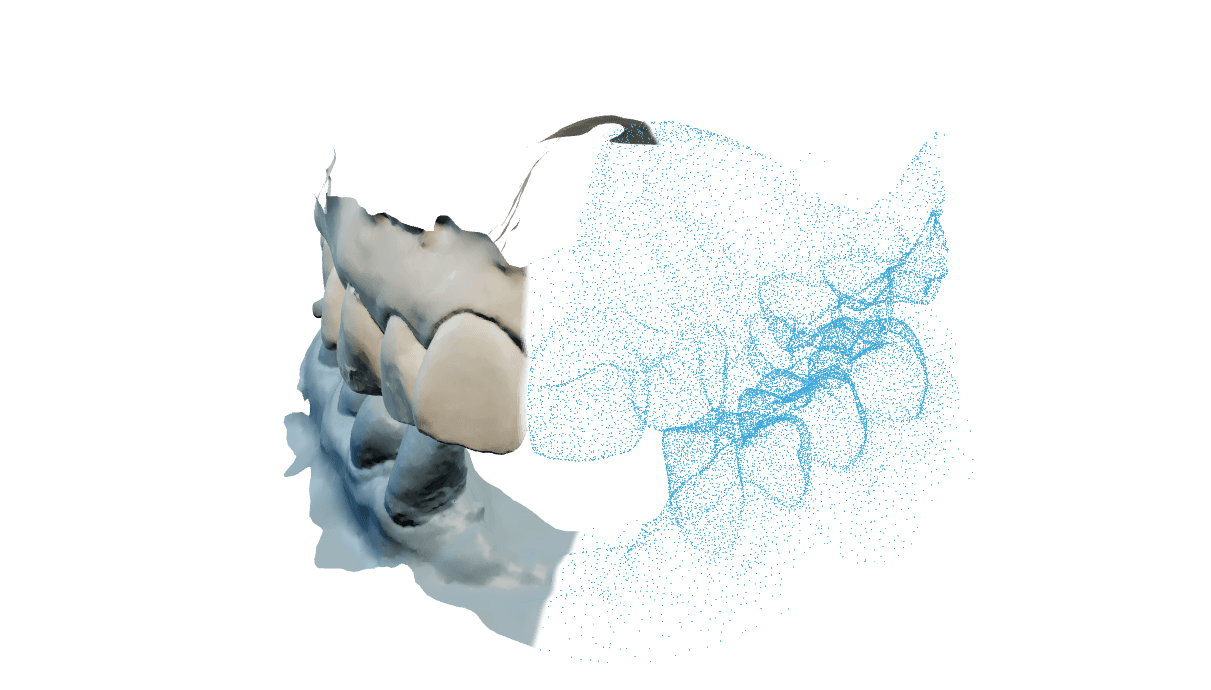
Devolver a arcada inferior ao lugar onde o paciente morde
Um escâner intraoral registra bem cada arcada separadamente. A relação entre as duas, a mordida, costuma ser a parte mais frágil do escaneamento, porque se apoia em um registro vestibular curto. O Occlusion alignment calcula onde a inferior realmente se apoia contra a superior, para que seu projeto comece de uma articulação medida e não de uma suposição.
Cada execução termina limitando a penetração (os pontos em que os modelos digitais superior e inferior se sobrepõem um dentro do outro, algo impossível para dentes reais, então o programa resolve isso). Se você não mudar nada, vale o limite da sua conta: a execução desloca a inferior para fora até que a penetração mais profunda não passe de 0,10 mm. O limite aceita qualquer valor de 0 mm, que desliga a etapa, até 0,3 mm.
É uma etapa preliminar para o técnico ou o clínico que vai projetar uma restauração. Não faz diagnóstico algum. Confira a oclusão você mesmo antes de construir sobre ela e antes de qualquer uso clínico.
Levar um caso do envio até o download
Crie o pedido
Escolha Occlusion alignment, coloque a superior e a inferior no palco e dê ao caso a sua própria referência de laboratório. O pedido é salvo antes de os arquivos terminarem de subir, então uma transferência interrompida deixa um caso que você pode reabrir, e não um formulário para preencher de novo. Mantenha nomes de pacientes fora do nome do caso e dos nomes dos arquivos.
Anexe as duas arcadas como um par coerente
Adicione a superior e a inferior como dois arquivos separados da mesma sessão de escaneamento. Os dois lados precisam ser do mesmo tipo de origem: dois arquivos de malha ou dois pacotes do escâner, nunca um de cada. Uma cena unida não alinha, e um registro de mordida sozinho não substitui as duas arcadas.
Inicie a execução
Executar consome 1 crédito. O trabalho acontece nos nossos servidores, então você pode fechar a aba; o caso aparece na sua área de trabalho quando termina.
Confira o resultado antes de construir sobre ele
Abra o caso e confirme que as duas arcadas são o par que você queria enviar e que os contatos caem onde a mordida deve fechar. Use a vista de corte e os movimentos do articulador para ver o que as superfícies externas escondem.
Preparar os dois escaneamentos antes de enviar
Uma arcada superior e uma inferior, como dois arquivos separados da mesma sessão de escaneamento. Uma única cena unida não alinha, e um registro vestibular de mordida não substitui as duas arcadas.
Não de forma confiável. A correspondência lê a arcada inteira, incluindo os dentes posteriores, então um quadrante alinha mal ou é recusado. Envie a arcada completa.
Não. Recortar molares ou detalhe oclusal remove justamente a superfície que a correspondência lê. Reduza a resolução de exportação no escâner em vez disso.
Qualquer escâner que exporte uma malha aberta por arcada, além dos pacotes de origem exocad em DCM e HPS, que convertemos do nosso lado. Não há integração separada para comprar. Se os formatos abertos não aparecem no menu de exportação, normalmente estão desativados na conta do escâner, não ausentes do aparelho.
Não. Um caso inteiro roda no navegador. O Connector é um programa opcional para Windows para conduzir casos direto da estação de CAD, e cobre apenas o alinhamento.
Ler o resultado antes de construir sobre ele
São uma escala de distância. A cor de um ponto vem da distância medida em milímetros entre esse ponto e a superfície oposta: folgas largas ficam sem pintura, a escala esquenta conforme as superfícies se aproximam, e a penetração fica no extremo carregado. Nada disso é leitura de força ou pressão, porque o programa não mede força de mordida. Passe o ponteiro sobre uma área pintada para ler o valor medido naquele ponto.
Porque uma pequena sobreposição é permitida de propósito. Cada execução desloca a inferior para fora até que a penetração mais profunda fique dentro do limite da sua conta, que é 0,10 mm se não foi alterado, numa faixa permitida de 0 mm a 0,3 mm. Hoje o navegador não tem controle para isso: casos iniciados no navegador usam o limite da conta, e é o Connector de desktop que expõe o valor, como Penetração máx.
O relatório do caso traz um valor de confiança de 100, um valor de qualidade de mordida de 100, o número de pontos de contato, o erro de ajuste residual em milímetros e o tempo de processamento. O visualizador pode mostrar os mesmos valores no painel de diagnóstico.
O visualizador marca tudo abaixo de 70 de 100 como revisão recomendada e tudo abaixo de 40 como confiança baixa. Trate isso como um convite a olhar melhor, não como uma nota clínica: um valor alto no par de arcadas errado continua sendo o par errado.
Ligue a vista de corte, que faz um corte oclusal atravessando o par. Mover o ponteiro já corta, então você pode passar o corte pela mordida; um clique congela o plano onde ele está, e Esc volta atrás. Não existe campo numérico de profundidade, você posiciona a olho.
Sim, no painel do articulador. A abertura vai até 15 mm, a protrusão até 10 mm e a laterotrusão para a esquerda ou para a direita até 12 mm, cada uma em passos de 0,05 mm e cada uma começando em 0 mm. O painel também informa de onde veio o eixo de dobradiça, da anatomia do escaneamento ou de médias populacionais, e a trajetória é confiável apenas na medida dessa origem.
U e L escondem a arcada superior e a inferior, C liga e desliga as marcas de contato, a barra de espaço alterna entre a posição original e a alinhada, R redefine a vista, F esconde os painéis e P tira uma captura. A tecla de interrogação mostra a lista completa.
Levar o resultado para o seu software de CAD
O par alinhado. Abra as duas arcadas no seu software de CAD; elas chegam já posicionadas em oclusão, então nenhum assentamento adicional é necessário.
Sim. O painel do articulador exporta o movimento mandibular para o exocad, reunindo os quatro movimentos com as malhas correspondentes, e pode salvar uma posição aberta como arquivo próprio. A exportação não está disponível em um caso sem dados de articulador.
Não. Os nomes de download vêm de um código de duas palavras derivado do caso, nunca do nome de arquivo que você enviou nem do nome do caso que você digitou. A única exceção é o arquivo de exportação do caso, que reproduz de propósito o que você nos enviou. Mesmo assim, mantenha identificadores de pacientes fora dos nomes de arquivos.
Executar de novo um caso concluído consome 1 crédito, porque é uma execução nova. Uma execução que falhou é repetida sem custo a partir dos arquivos originais, sem novo envio.
Sim. O alinhamento roda nos nossos servidores e continua sem a aba aberta.
Resolver um resultado que parece errado
As arcadas foram identificadas ao contrário na exportação, ou a mesma arcada subiu duas vezes com dois nomes. O arquivo em si não diz de qual arcada é, então os seus campos são aceitos como estão.
Confira se os dois arquivos de origem são de fato um par, exporte os dois de novo com a arcada indicada no nome e execute o caso outra vez. Se continuar acontecendo com um par do qual você tem certeza, envie o número do caso.
Uma arcada é um escaneamento parcial, ou as duas arcadas não são da mesma sessão de escaneamento, então não há superfície comum onde se apoiar.
Confirme no seu software de CAD que o par pertence ao mesmo caso e tente de novo com as arcadas originais sem recorte. Se ainda cair errado, abra o Adjust & rerun, posicione as arcadas à mão mais ou menos em oclusão e inicie a execução dali; essa dica inicial resolve a maioria. Se persistir, envie o número do caso.
Uma malha de origem foi recortada além da superfície oclusal, então não sobrou nada onde as arcadas possam se encontrar.
Exporte as duas arcadas sem recorte e reduza o tamanho pela resolução de exportação. Se as superfícies oclusais estão intactas e ainda assim nada é pintado, envie o número do caso.
A execução terminou, mas a geometria não alcançou um padrão que possamos assinar, normalmente por ruído do escaneamento, dentes posteriores ausentes ou uma arcada recortada demais. Seu crédito é devolvido integralmente.
Use o Adjust & rerun: posicione as arcadas mais ou menos em oclusão, exclua ilhas soltas de escaneamento, marcadores e superfícies duplicadas com o pincel manual e inicie a execução corrigida a partir dos arquivos originais, sem custo extra. Se continuar falhando, envie o número do caso.
Malhas grandes levam mais tempo, e a fila acumula quando o serviço está sob carga.
Veja primeiro o status do sistema. Se um caso fica parado enquanto outros andam, envie esse número de caso em vez de subir o escaneamento novamente.