Sapere cosa accettiamo
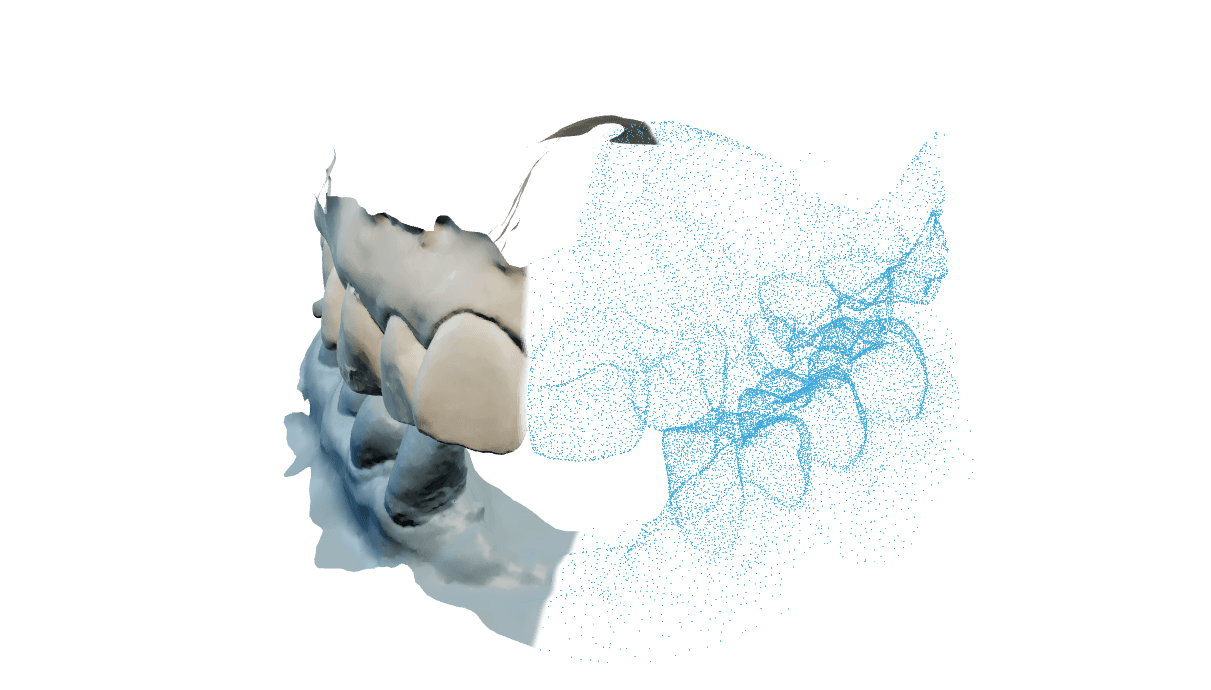
OccluTrace lavora con file di mesh aperti: STL, OBJ, PLY, fino a 100 MB per file e fino a 10 000 000 triangoli in un STL. Qualsiasi scanner che esporti una mesh aperta per arcata funziona, e non c'è nessuna integrazione da acquistare a parte.
Accettiamo anche i pacchetti di origine exocad, in DCM e HPS, e li convertiamo da noi dopo il caricamento. Un pacchetto bloccato dal produttore non può essere aperto da nulla tranne exocad; per quelli esporti una mesh semplice.
Carichi un file per arcata e mantenga la coppia coerente: entrambe le parti file di mesh, oppure entrambe pacchetti dello scanner, mai uno di ciascuno. Una cartella di progetto dello scanner o un archivio ZIP non è una scansione e verrà rifiutata.
Esporti in millimetri. Un file esportato in pollici o micron può sembrare corretto sullo schermo e progettare comunque male. Il banco di lavoro di Split Bar lo controlla e avvisa quando un'arcata esce dall'intervallo di 30 a 90 mm che occupa una mascella reale, ma gli altri moduli danno le unità per buone, quindi conviene impostarle bene sullo scanner.
Esportare in modo pulito dal suo scanner
| Scanner | Cosa scegliere |
|---|---|
| 3Shape TRIOS | Esporti entrambe le arcate come file di mesh aperti. Mantenga le indicazioni di superiore e inferiore nei nomi dei file, così la coppia resta verificabile in seguito. |
| Medit | Esporti ogni arcata separatamente. Quando il software offre sia un modello combinato sia file di arcata separati, prenda i file separati. |
| iTero | Verifichi che l'esportazione aperta sia abilitata sull'account, poi esporti le arcate superiore e inferiore complete. Se i formati aperti mancano nel menu, deve abilitarli un amministratore dell'account. |
| Carestream | Usi l'esportazione di mesh aperta e scelga l'arcata completa invece della superficie ritagliata alla poltrona. |
| Planmeca | Esporti come file aperti, un'arcata per file. Apra prima il caso del paziente, perché nei casi copiati è facile mescolare un'arcata vecchia. |
| Qualsiasi altro | Se esporta una mesh aperta per arcata, funziona. Ci invii il nome dello scanner e una foto del menu di esportazione se non trova l'opzione giusta. |
Domande frequenti sui file
Non ritagli anatomia per rientrare nel limite. Abbassi la risoluzione di esportazione nello scanner, perché ritagliare rimuove la superficie che l'allineamento legge davvero.
Sì. I pacchetti di origine DCM e HPS vengono accettati e convertiti da noi. L'eccezione è un pacchetto bloccato dal produttore, che nulla fuori da exocad può aprire.
No. Usi quello che il suo scanner esporta più pulito.
No. Superiore e inferiore devono essere entrambi pacchetti dello scanner o entrambi file di mesh, quindi sostituisca un'origine finché la coppia non combacia.
I nomi di download nascono da un codice di due parole derivato dal caso, non dal file che ha caricato né dal nome del caso che ha scritto. L'unica eccezione è l'archivio di esportazione del caso, le cui voci riproducono di proposito i nomi che ci ha inviato, e anche quelli vengono ripuliti al caricamento: le lunghe sequenze di cifre che sembrano un numero di cartella o una data di nascita e le sequenze di parole con l'iniziale maiuscola che sembrano nomi vengono rimosse prima di salvare il nome. Tenga comunque gli identificativi dei pazienti fuori dai nomi dei file.