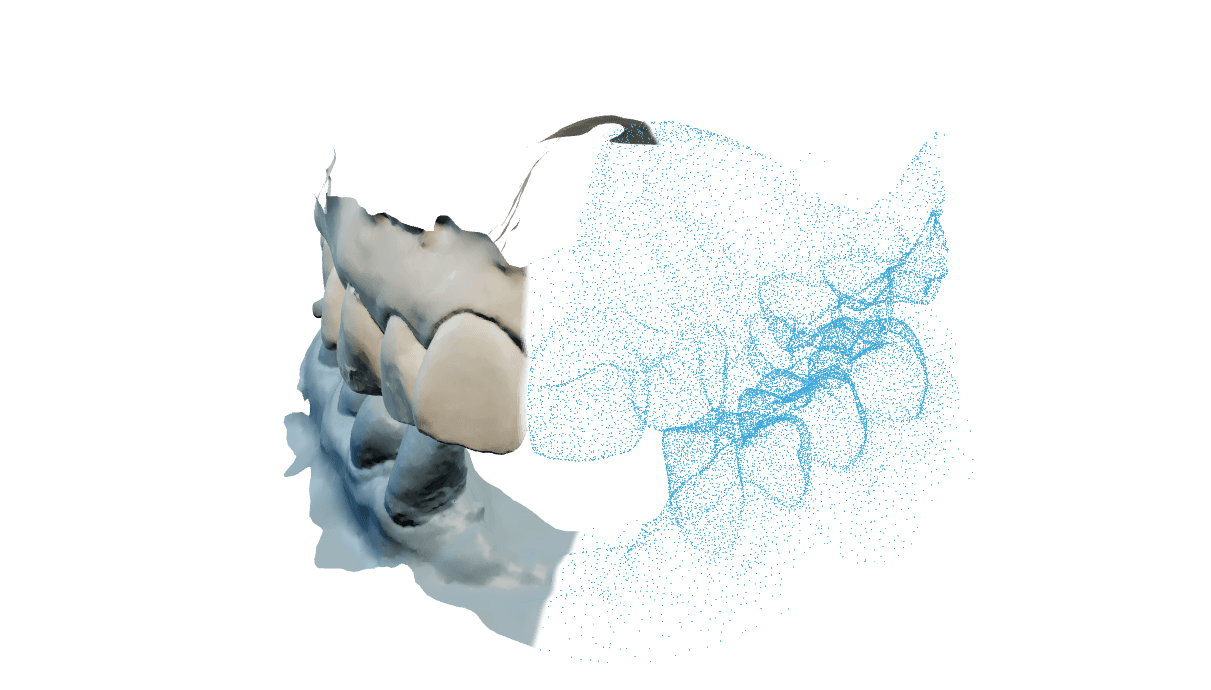
Input
Ober- und Unterkiefer-Scans, von der Festplatte geöffnet oder aus dem geöffneten exocad-Projekt übernommen.
Loading
Preparing the page.
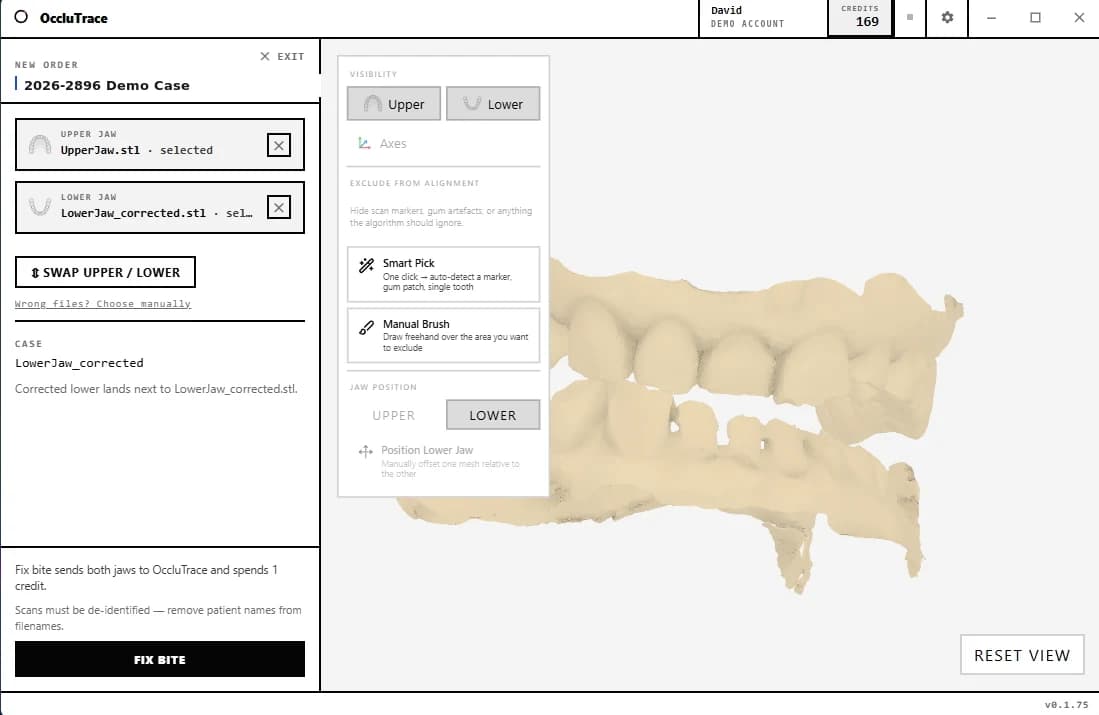
Der Connector ist eine native Windows-App: Ober- und Unterkiefer-Scan wählen, Fix Bite drücken, und die korrigierte Okklusion ist in etwa 30 Sekunden zurück. Scan-Marker mit dem Ausschlusspinsel entfernen und das Ergebnis im integrierten 3D-Viewer prüfen.
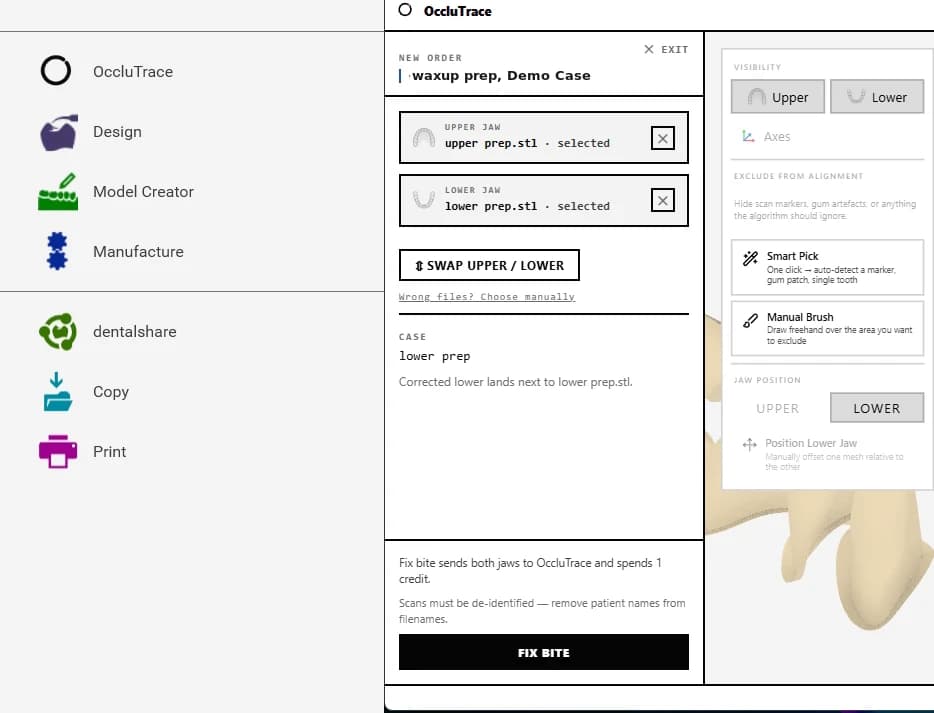
OccluTrace installiert eine Schaltfläche im exocad-Projektmenü, direkt neben Design und Model Creator. Sie übernimmt Ober- und Unterkiefer aus dem geöffneten Projekt, sodass eine Bisskorrektur mit einem Klick startet, ohne Export und Re-Import von Dateien.
Die Kiefer des geöffneten exocad-Falls werden automatisch übernommen. Sie müssen weder exportieren noch Dateidialoge verwenden.
Beide Scans werden hochgeladen, die KI berechnet den korrekten Biss, und das Ergebnis kommt direkt an die Workstation zurück.
Der korrigierte Kiefer wird neben der Originaldatei gespeichert, sodass das Projekt mit der korrigierten Okklusion weiterläuft.
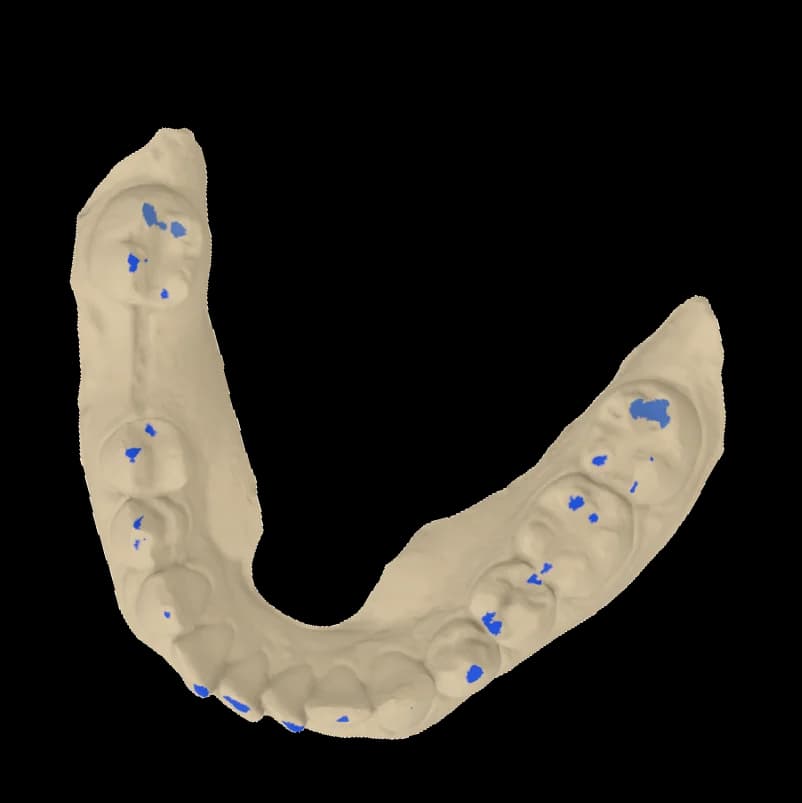 Landet neben dem Scan
OccluTrace installiert eine Schaltfläche im exocad-Projektmenü, direkt neben Design und Model Creator. Sie übernimmt Ober- und Unterkiefer aus dem geöffneten Projekt, sodass eine Bisskorrektur mit einem Klick startet, ohne Export und Re-Import von Dateien.
Die Kiefer des geöffneten exocad-Falls werden automatisch übernommen. Sie müssen weder exportieren noch Dateidialoge verwenden.
Beide Scans werden hochgeladen, die KI berechnet den korrekten Biss, und das Ergebnis kommt direkt an die Workstation zurück.
Der korrigierte Kiefer wird neben der Originaldatei gespeichert, sodass das Projekt mit der korrigierten Okklusion weiterläuft.
OccluTrace ist kein CAD-Ersatz. Er erledigt eine Aufgabe zwischen Scan und Design: Er bringt Ober- und Unterkiefer in den korrekten Biss.
Ober- und Unterkiefer-Scans, von der Festplatte geöffnet oder aus dem geöffneten exocad-Projekt übernommen.
Die KI richtet die Kiefer aus und prüft Kontakte, Penetration und Konfidenz, bevor ein Ergebnis zurückkommt.
Eine korrigierte Kieferdatei neben dem Original. Die Quell-Scans werden nie verändert.
Nutzen Sie die Oberfläche, die zum Ort des Falls passt. Beide laufen über dasselbe OccluTrace-Konto, dieselben Credits und dieselbe Pipeline.
| Web-AppIdeal, wenn die Scans bereit zum Hochladen sind oder der Fall von einer anderen Maschine geprüft werden soll. | Windows ConnectorIdeal, wenn die Dateien auf der Labor-Workstation liegen, neben den CAD-Tools, die das Ergebnis nutzen. | |
|---|---|---|
| Bisskorrekturen mit demselben Konto und denselben Credits | ||
| Scans aus jedem Browser hochladen | ||
| Aufträge und Ergebnisse in 3D prüfen | ||
| Korrigierte Dateien herunterladen | ||
| Lokale Scans von der Festplatte öffnen | ||
| Kiefer aus dem geöffneten exocad-Projekt übernehmen |
Windows 10/11, 64-Bit, signierter Installer mit Auto-Updates.
Die App koppelt sich über den Browser. In der nativen App wird nie ein Passwort eingetippt.
Original-Scans bleiben erhalten; Ergebnisdateien werden separat gespeichert.
Die exocad-Integration ist optional. Der Connector funktioniert eigenständig mit beliebigen Ober- und Unterkiefer-Scans.